This comprehensive guide will walk you through integrating SMSGatewayCenter’s bulk SMS API with the most popular CRM systems, providing step-by-step implementation guides and helping you avoid common pitfalls that can derail your integration efforts.
Why CRM-SMS Integration is Essential in 2025
The Business Case for Integration
Before diving into the technical implementation, let’s understand why CRM-SMS integration is crucial for modern businesses:
Customer Engagement Statistics:
- SMS open rates: 98% (vs 20% for email)
- SMS response rates: 45% (vs 6% for email)
- Average response time to SMS: 90 seconds
- 75% of customers prefer SMS for business communications
Operational Benefits:
- Automated lead follow-up sequences
- Real-time appointment reminders
- Instant order status updates
- Automated customer support responses
- Personalized marketing campaigns
The Integration Advantage
By integrating your CRM with SMS gateway services, you can:
- Automate Customer Journeys: Trigger SMS messages based on CRM events
- Improve Response Times: Instant notifications for time-sensitive communications
- Enhance Personalization: Use CRM data to create targeted messages
- Track ROI: Monitor campaign performance through integrated analytics
- Ensure Compliance: Maintain DLT compliance and opt-out management
Understanding SMS API Integration Fundamentals
What is SMS API Integration?
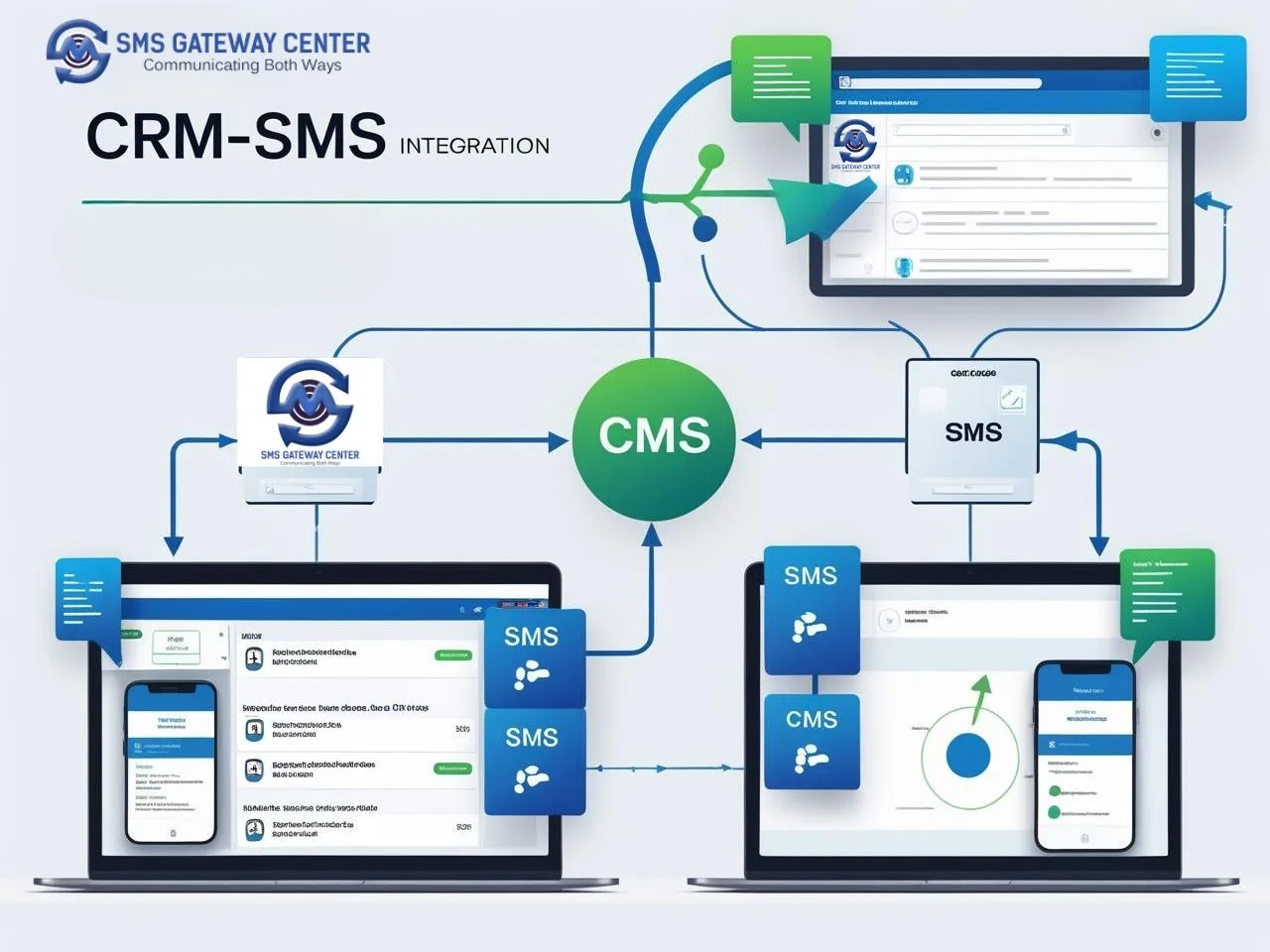
SMS API integration connects your CRM system with an SMS gateway provider’s API, allowing you to send and receive SMS messages programmatically. This integration enables automated messaging workflows based on CRM triggers and customer data.
Key Components of SMS API Integration
1. API Endpoints
- Send SMS messages
- Receive incoming messages
- Check delivery status
- Manage contact lists
- Handle opt-outs
2. Authentication
- API keys or tokens
- Secure HTTPS connections
- Rate limiting considerations
- IP whitelisting (if required)
3. Data Synchronization
- Contact information sync
- Message history tracking
- Delivery status updates
- Opt-out management
SMSGatewayCenter API Overview
SMSGatewayCenter provides a robust SMS API for CRM integration with the following features:
- RESTful API: Easy integration with any CRM system
- Webhook Support: Real-time delivery status updates
- Bulk Messaging: Send to multiple contacts simultaneously
- Template Management: Pre-approved message templates
- DLT Compliance: Built-in compliance for Indian regulations
- Analytics Dashboard: Comprehensive reporting and insights
HubSpot SMS Integration: Complete Implementation Guide
Why HubSpot + SMS Integration?
HubSpot is one of the most popular CRM platforms, and integrating it with SMS can significantly enhance your marketing automation capabilities. With HubSpot SMS integration, you can create sophisticated customer journeys that include SMS touchpoints.
Step-by-Step HubSpot Integration
Step 1: Set Up SMSGatewayCenter Account
- Create Account: Sign up for SMSGatewayCenter’s SMS API service
- Get API Credentials: Obtain your API key and sender ID
- Verify Account: Complete KYC and DLT registration
- Test API: Send test messages to verify connectivity
Step 2: Configure HubSpot Workflows
- Access HubSpot Workflows: Go to Marketing → Automation → Workflows
- Create New Workflow: Choose “Contact-based” workflow
- Set Trigger: Define when SMS should be sent (e.g., new lead, deal stage change)
- Add SMS Action: Use custom code action for SMS integration
Step 3: Implement Custom Code Action
Create a custom code action in HubSpot with the following JavaScript:
// HubSpot Custom Code Action for SMS Integration
const sendSMS = async (contact) => {
  const token = 'YOUR_SMSGATEWAYCENTER_TOKEN';
  const senderId = 'YOUR_SENDER_ID';

  const message = `Hi ${contact.firstname}, thank you for your interest!
  Our team will contact you within 24 hours.
  Reply STOP to opt out.`;

  const response = await fetch('https://unify.smsgateway.center/SMSApi/send', {
    method: 'POST',
    headers: {
      'Content-Type': 'application/json',
      'Authorization': `Bearer ${token}`
    },
    body: JSON.stringify({
      sender_id: senderId,
      message: message,
      phone: contact.phone,
      template_id: 'YOUR_TEMPLATE_ID'
    })
  });

  return response.json();
};
Step 4: Set Up Webhook for Delivery Status
- Create Webhook: In SMSGatewayCenter dashboard
- Configure URL: Point to your HubSpot webhook endpoint
- Map Status Updates: Update contact properties based on delivery status
Step 5: Test and Optimize
- Send Test Messages: Verify integration with test contacts
- Monitor Delivery: Check delivery status in both systems
- Optimize Timing: Adjust message timing based on response rates
- A/B Test Content: Test different message variations
HubSpot Integration Best Practices
1. Contact Property Mapping
- Map phone numbers consistently
- Create custom properties for SMS preferences
- Track opt-out status in HubSpot
2. Workflow Optimization
- Use smart lists for targeted messaging
- Implement progressive profiling
- Create re-engagement workflows
3. Compliance Management
- Include opt-out instructions in every message
- Respect DND preferences
- Maintain audit trails
Salesforce SMS Integration: Enterprise Implementation
Salesforce Integration Benefits
Salesforce is the leading enterprise CRM platform, and integrating it with SMS can provide powerful automation capabilities for sales teams. With Salesforce SMS integration, you can automate lead nurturing, appointment scheduling, and customer support.
Step-by-Step Salesforce Integration
Step 1: Set Up SMSGatewayCenter Connected App
- Create Connected App: In Salesforce Setup → App Manager
- Configure OAuth: Set up OAuth 2.0 authentication
- Define Scopes: Grant necessary API permissions
- Generate Credentials: Get client ID and secret
Step 2: Install SMS Integration Package
- Install Package: Deploy SMSGatewayCenter’s Salesforce package
- Configure Custom Fields: Set up SMS-related custom fields
- Create Custom Objects: Set up SMS message and delivery tracking objects
- Set Up Permission Sets: Grant appropriate user permissions
Step 3: Configure Apex Triggers
Create Apex triggers to automatically send SMS based on Salesforce events:
// Apex Trigger for Lead Follow-up SMS
trigger LeadSMSTrigger on Lead (after insert, after update) {
    if (Trigger.isAfter && Trigger.isInsert) {
        for (Lead newLead : Trigger.new) {
            if (newLead.Phone != null && newLead.Status == 'New') {
                // Send welcome SMS
                SMSService.sendWelcomeSMS(newLead);
            }
        }
    }
}
Step 4: Create Custom Apex Classes
Implement custom Apex classes for SMS functionality:
public class SMSService {
    @future(callout=true)
    public static void sendSMS(String phoneNumber, String message, String recordId) {
        // SMS API callout implementation
        String endpoint = 'https://unify.smsgateway.center/SMSApi/send';
        String token = 'YOUR_TOKEN';

        HttpRequest req = new HttpRequest();
        req.setEndpoint(endpoint);
        req.setMethod('POST');
        req.setHeader('Content-Type', 'application/json');
        req.setHeader('Authorization', 'Bearer ' + token);

        // Request body implementation
        // Send SMS and log response
    }
}
Step 5: Set Up Process Builder
- Create Process: Set up Process Builder for automated SMS triggers
- Define Criteria: Specify when SMS should be sent
- Add Actions: Call custom Apex methods for SMS sending
- Test Process: Verify automation works correctly
Salesforce Integration Advanced Features
1. Lightning Components
- Create custom Lightning components for SMS management
- Build SMS dashboard for sales teams
- Implement real-time SMS status updates
2. Einstein Analytics
- Track SMS campaign performance
- Analyze customer engagement patterns
- Predict optimal sending times
3. Mobile App Integration
- Send SMS from Salesforce mobile app
- Receive SMS notifications on mobile
- Track field activities with SMS integration
Zoho CRM SMS Integration: SMB Solution
Why Zoho CRM + SMS?
Zoho CRM is popular among small and medium businesses for its affordability and comprehensive features. Integrating Zoho with SMS services can provide enterprise-level communication capabilities at an SMB price point.
Step-by-Step Zoho Integration
Step 1: Set Up Zoho Developer Account
- Create Developer Account: Sign up at Zoho Developer Console
- Create Application: Set up a new application for SMS integration
- Generate Tokens: Get access and refresh tokens
- Configure Scopes: Set appropriate API permissions
Step 2: Install SMSGatewayCenter Zoho App
- Download App: Get SMSGatewayCenter’s Zoho app
- Install in Zoho: Deploy the app in your Zoho CRM instance
- Configure Settings: Set up API credentials and preferences
- Test Connection: Verify SMS functionality
Step 3: Configure Zoho Workflows
- Create Workflow: Set up automated workflow rules
- Define Triggers: Specify when SMS should be sent
- Add SMS Actions: Configure SMS sending actions
- Set Conditions: Add conditional logic for message content
Step 4: Custom Function Implementation
Create custom functions in Zoho for advanced SMS features:
// Zoho Custom Function for SMS Integration
function sendSMS(phoneNumber, message, recordId) {
    const userid = 'YOUR_SMSGATEWAYCENTER_USER_ID';
    const apiKey = 'YOUR_SMSGATEWAYCENTER_API_KEY';
    const senderId = 'YOUR_SENDER_ID';

    const requestBody = {
        userid: userid,
        sender_id: senderId,
        message: message,
        phone: phoneNumber,
        template_id: 'YOUR_TEMPLATE_ID'
    };

    const response = invokeurl
    [
        type: "POST"
        url: "https://unify.smsgateway.center/SMSApi/send"
        parameters: requestBody
        connection: "SMSGatewayCenter"
    ];

    // Log SMS activity
    logSMSActivity(recordId, message, response);
}
Step 5: Set Up Webhook Integration
- Configure Webhook: Set up webhook in SMSGatewayCenter
- Create Zoho Function: Handle webhook responses
- Update Records: Update Zoho records with delivery status
- Monitor Logs: Track webhook performance and errors
Zoho Integration Best Practices
1. Module Customization
- Add SMS-related custom fields
- Create SMS activity modules
- Set up SMS templates
2. User Training
- Train users on SMS features
- Create user guides and documentation
- Set up role-based permissions
3. Performance Optimization
- Implement message queuing
- Use batch processing for bulk SMS
- Monitor API rate limits
Common Integration Pitfalls and Solutions
Pitfall 1: API Rate Limiting
Problem: Exceeding API rate limits and getting blocked
Solution: Implement proper rate limiting and queuing mechanisms
// Rate Limiting Implementation
class SMSRateLimiter {
    constructor(maxRequests, timeWindow) {
        this.maxRequests = maxRequests;
        this.timeWindow = timeWindow;
        this.requests = [];
    }

    async sendSMS(message) {
        const now = Date.now();
        this.requests = this.requests.filter(time => now - time < this.timeWindow);

        if (this.requests.length >= this.maxRequests) {
            await this.delay(1000);
        }

        this.requests.push(now);
        return await this.actualSendSMS(message);
    }
}
Pitfall 2: Phone Number Formatting
Problem: Inconsistent phone number formats causing delivery failures
Solution: Implement standardized phone number formatting
// Phone Number Formatting
function formatPhoneNumber(phone) {
    // Remove all non-digit characters
    let cleaned = phone.replace(/\D/g, '');

    // Add country code if missing
    if (cleaned.length === 10) {
        cleaned = '91' + cleaned; // India country code
    }

    return cleaned;
}
Pitfall 3: Message Content Compliance
Problem: Messages getting blocked due to compliance issues
Solution: Implement content validation and template management
// Content Validation
function validateMessageContent(message) {
    const bannedWords = ['spam', 'urgent', 'free', 'limited time'];
    const hasBannedWords = bannedWords.some(word =>
        message.toLowerCase().includes(word)
    );

    if (hasBannedWords) {
        throw new Error('Message contains banned words');
    }

    return true;
}
Pitfall 4: Delivery Status Tracking
Problem: Inconsistent delivery status updates
Solution: Implement robust webhook handling and retry mechanisms
// Webhook Handler with Retry Logic
async function handleDeliveryStatus(webhookData) {
    const maxRetries = 3;
    let retryCount = 0;

    while (retryCount < maxRetries) {
        try {
            await updateCRMRecord(webhookData);
            break;
        } catch (error) {
            retryCount++;
            if (retryCount === maxRetries) {
                await logFailedUpdate(webhookData, error);
            } else {
                await delay(1000 * retryCount);
            }
        }
    }
}
Pitfall 5: Data Synchronization Issues
Problem: Contact data getting out of sync between CRM and SMS system
Solution: Implement regular data synchronization and conflict resolution
// Data Synchronization
async function syncContacts() {
    const crmContacts = await getCRMContacts();
    const smsContacts = await getSMSContacts();

    for (const crmContact of crmContacts) {
        const smsContact = smsContacts.find(c => c.phone === crmContact.phone);

        if (!smsContact) {
            await addContactToSMS(crmContact);
        } else if (crmContact.updatedAt > smsContact.updatedAt) {
            await updateSMSContact(crmContact);
        }
    }
}
Advanced Integration Features
Multi-Channel Communication
Integrate SMS with other communication channels for comprehensive customer engagement:
1. Email + SMS Integration
- Send SMS for urgent communications
- Use email for detailed information
- Track engagement across channels
2. WhatsApp Business API Integration
- Use WhatsApp Business API for rich media messages
- SMS for simple notifications
- Channel selection based on message type
3. Voice Call Integration
- SMS for quick alerts
- Voice calls for complex interactions
- Automated call scheduling
AI-Powered Personalization
Implement AI-driven personalization for enhanced customer engagement:
1. Dynamic Content Generation
- Personalized message content based on CRM data
- Behavioral targeting
- Predictive messaging
2. Optimal Timing
- AI-powered send time optimization
- Timezone-aware scheduling
- Engagement pattern analysis
3. A/B Testing Automation
- Automated message testing
- Performance optimization
- Continuous improvement
Analytics and Reporting
Comprehensive analytics for measuring integration success:
1. Campaign Performance
- Delivery rates and timing
- Response rates and engagement
- Conversion tracking
2. Customer Journey Analysis
- Touchpoint effectiveness
- Journey optimization
- ROI measurement
3. Compliance Monitoring
- DLT compliance tracking
- Opt-out management
- Audit trail maintenance
Testing and Quality Assurance
Integration Testing Strategy
1. Unit Testing
- Test individual API calls
- Validate data transformations
- Verify error handling
2. Integration Testing
- End-to-end workflow testing
- Cross-system data validation
- Performance testing
3. User Acceptance Testing
- Real-world scenario testing
- User feedback collection
- Performance optimization
Quality Assurance Checklist
- [ ] API connectivity verified
- [ ] Authentication working correctly
- [ ] Message delivery confirmed
- [ ] Webhook responses received
- [ ] Data synchronization tested
- [ ] Error handling validated
- [ ] Performance benchmarks met
- [ ] Compliance requirements satisfied
- [ ] User training completed
- [ ] Documentation updated
Security and Compliance Considerations
Data Security
1. API Security
- Use HTTPS for all API communications
- Implement API key rotation
- Monitor API usage for anomalies
2. Data Protection
- Encrypt sensitive data in transit and at rest
- Implement access controls
- Regular security audits
3. Privacy Compliance
- GDPR compliance for international customers
- Local data protection regulations
- Consent management
DLT Compliance (India)
1. Template Registration
- Register message templates with DLT
- Maintain template approval status
- Regular template updates
2. Opt-out Management
- Implement opt-out mechanisms
- Respect DND preferences
- Maintain opt-out lists
3. Audit Trail
- Log all SMS activities
- Maintain compliance reports
- Regular compliance audits
ROI and Performance Measurement
Key Performance Indicators (KPIs)
1. Technical KPIs
- API response time: < 200ms
- Delivery success rate: > 99%
- System uptime: > 99.9%
2. Business KPIs
- Customer engagement rate: > 45%
- Response time improvement: > 60%
- Cost per engagement: < $0.05
3. Compliance KPIs
- Opt-out rate: < 2%
- Compliance score: 100%
- Audit pass rate: 100%
ROI Calculation
Investment Costs:
- SMS API subscription: $500/month
- Development time: 40 hours × $100/hour = $4,000
- Training and setup: $1,000
- Total investment: $5,500
Returns:
- Improved response rates: $15,000/month
- Reduced manual work: $8,000/month
- Increased conversions: $12,000/month
- Total returns: $35,000/month
ROI: 636%
Future Trends and Recommendations
Emerging Technologies
1. Conversational AI
- Chatbot integration with SMS
- Natural language processing
- Automated customer support
2. Rich Media Messaging
- RCS (Rich Communication Services)
- Interactive message buttons
- Media-rich content delivery
3. Blockchain Integration
- Secure message verification
- Decentralized identity management
- Transparent audit trails
Strategic Recommendations
1. Start Small, Scale Fast
- Begin with simple use cases
- Prove ROI before expanding
- Iterate based on feedback
2. Focus on User Experience
- Design intuitive workflows
- Minimize user friction
- Provide comprehensive training
3. Monitor and Optimize
- Track performance metrics
- Regular system audits
- Continuous improvement
Conclusion: Building a Successful CRM-SMS Integration
Integrating SMS APIs with popular CRM systems is no longer optional – it’s essential for businesses looking to stay competitive in 2025. Whether you’re using HubSpot for marketing automation, Salesforce for enterprise sales, or Zoho for SMB operations, the right SMS integration can transform your customer communication strategy.
Key Success Factors
- Choose the Right Partner: SMSGatewayCenter’s SMS API for CRM integration provides the reliability and features you need
- Plan Thoroughly: Proper planning prevents integration pitfalls
- Test Extensively: Comprehensive testing ensures smooth operation
- Train Your Team: User adoption is critical for success
- Monitor Continuously: Ongoing monitoring and optimization drive long-term success
Getting Started
Ready to transform your customer communication with CRM-SMS integration? Start with SMSGatewayCenter’s comprehensive SMS solutions and join thousands of businesses that have already achieved remarkable results.
The future of customer communication is here – are you ready to embrace it?
Resources and Further Reading
- The Future of Business Communication: SMS vs WhatsApp vs Voice – A Comprehensive Analysis
- Building a Bulk SMS Campaign System from Scratch: A Complete Technical Guide
- How Doctors Increased Customer Engagement by 300% with SMS: A Real Case Study
This guide provides comprehensive information for integrating SMS APIs with popular CRM systems. For specific implementation support, contact SMSGatewayCenter’s integration team.